| |
Capture
More Business Opportunities with the advantages of
Sage 300 (Accpac ERP)'s advanced modules and our new launched
comprehensive solutions |
|
| |
Sage
Accpac ERP's Advanced Modules |
|
| |
Microsoft
Application Server Solutions |
|
| |
Network
Support, Consulting & Design Services |
|
| |
Citrix
Solutions |
|
| |
|
|
|
 |
| |
Back to Back Ordering System |
|
 |
| Level
1 |
| - |
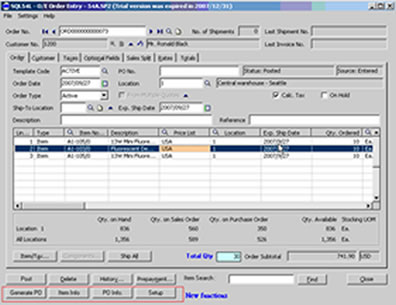
Automatic generation of Purchase Order
(PO) during Accpac Order Entry (OE)
creation |
| - |
Automatic
match of PO vendor with Accpac item
vendor info |
| - |
Automatic
issuing of corresponding PO receipt
upon OE shipment creation |
- |
Total Order Quantity field in OE for
data input accuracy verification |
| - |
User-defined
PO generation method |
| - |
Automatic
regeneration of PO when sales order
item or quantity is changed |
| - |
Automatic transfer of order optional
field data to PO optional field |
| - |
Item
search by code in OE |
| - |
User-defined
security level |
| - |
Advanced
analysis (ie: Actual Margin of Sales
Order) |
 |
 |
| OE
Screen |
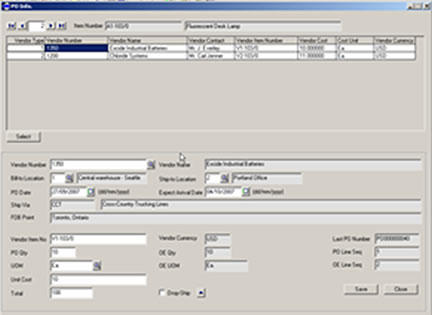
Item
PO order information allows
users to edit or inquiry when
clicking on PO Info button |
|
|
| Level
2 |
- |
Once shipment entry is posted, the system
will generate corresponding PO receipt
in Accpac to reduce data input and get
the correct purchase cost, thereby minimizing
man-made errors |
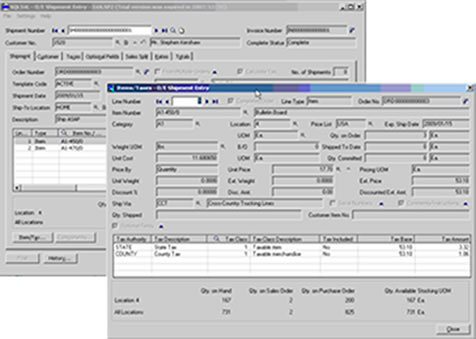 |
| Customized
Shipment Entry Screen |
|
|
|
|
|
|
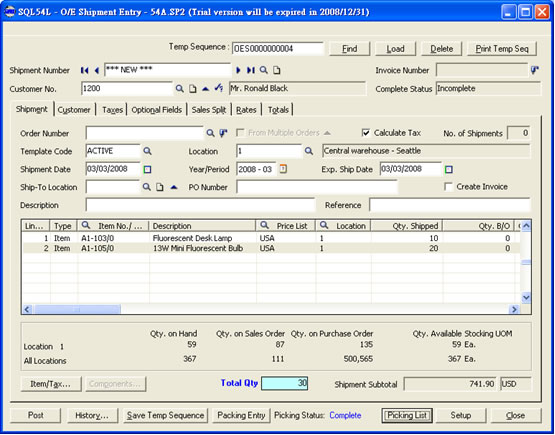
Picking
System |
|
| - |
Integration
in the Accpac Shipment Entry |
| - |
Shipment
can be saved before post |
| - |
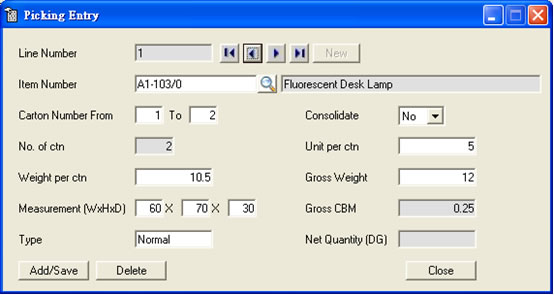
Picking
item qty, CBM, weight and corresponding
information can be save before post the
shipment |
| - |
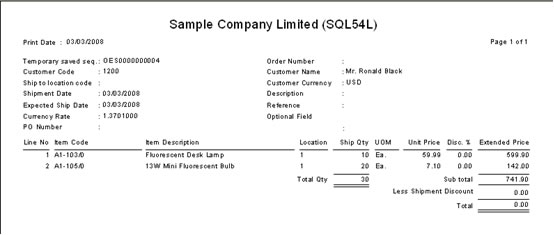
Ready to
ship item list can be print before post
the shipment entry |
| - |
Picking
form can be print before post the shipment
entry |
| - |
Shipments
total Qty can be counted, easier for user
cross check the input. |
| - |
Work
with Accpac 5.4 100,200,500 edition. MSSQL
version |
 |
 |
 |
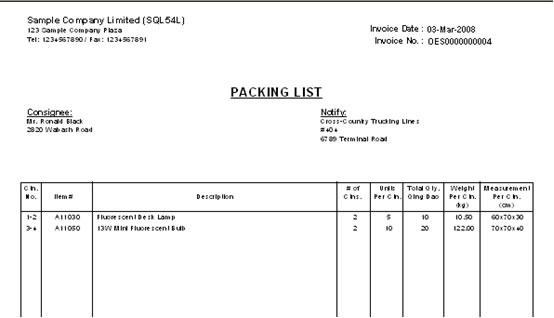 |
| Input Picking Information | Picking List Report |
|
| |
Advance
Item Master |
|
| - |
Advanced
additional product attachment of multiple
product documents |
| - |
Attachment
of multiple product images |
| - |
Additional
remark section for detailed product description |
| - |
Support
Sage 300 (Accpac ERP) 100, 200, 500 editions |
| - |
Support
Sage Accpac version 5.3 / 5.4 |
| - |
Support
MSSQL database |
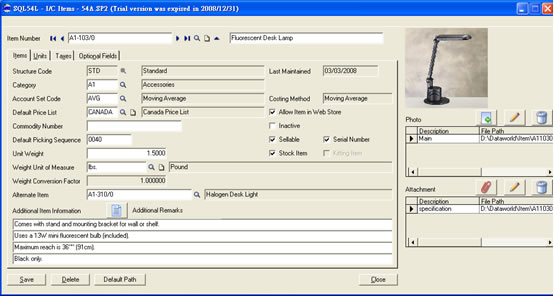 |
| Item
Master Screen |
|
| |
Bank Payment EDI System (BPES) |
|
| - |
System fully integarte with Accpac 5.4 AP payment batch |
| - |
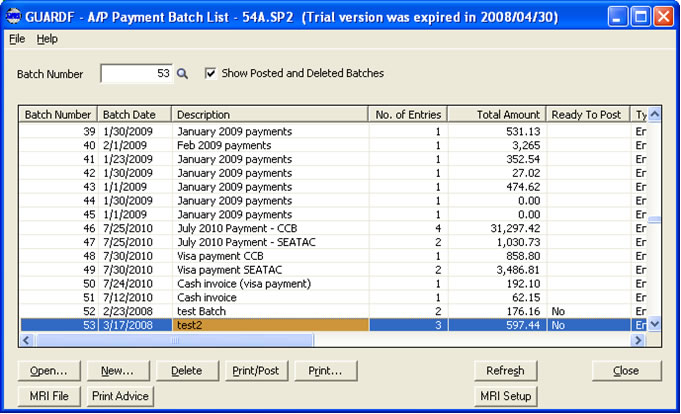
Payment can be generate as bank requried format file by batch |
| - |
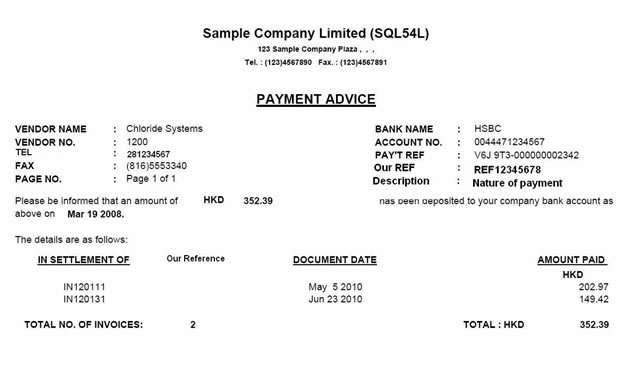
Payment advice can be print for each payment |
| - |
Bank required payment information can be setup in Accpac and the system |
| - |
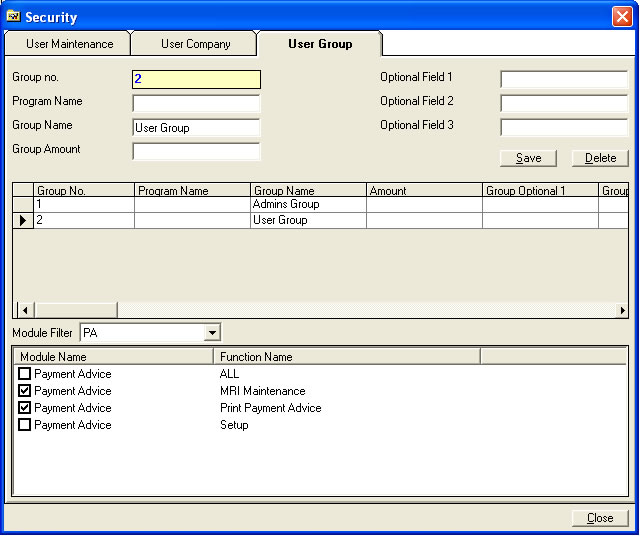
User define security group to provide better security control |
 |
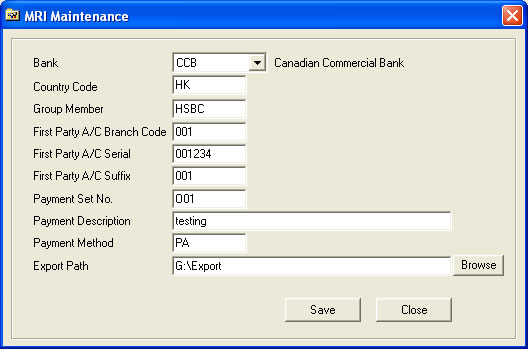 |
| User can define security group by function | MRI Setup Screen refer to Accpac Bank Code |
 |
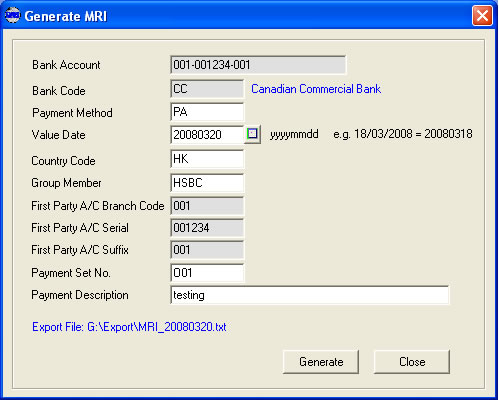 |
| Payment batch bank file list | Generate Bank file |
|
| |
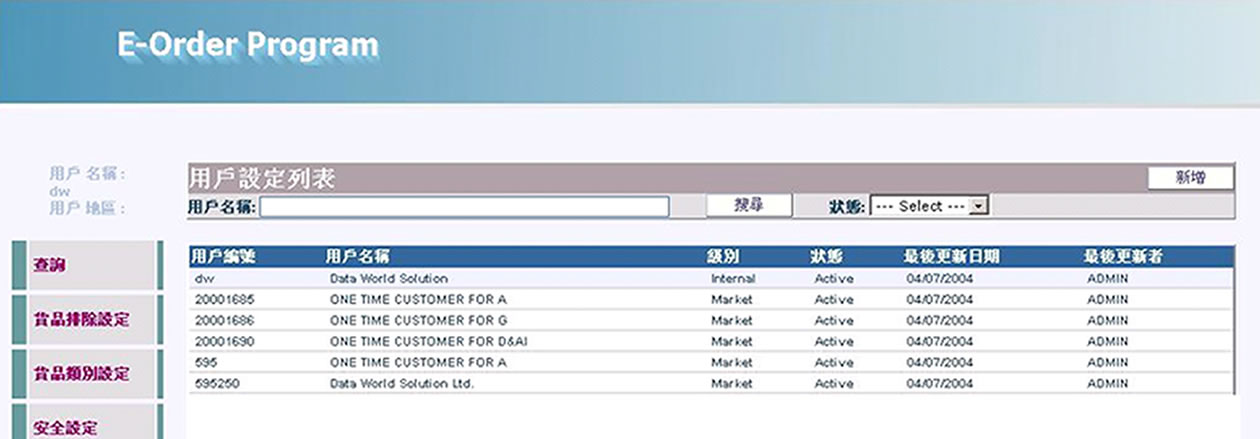
e-Ordering System |
|
| - |
Online
B2B model |
| - |
Online
credit control |
| - |
Online
inquiry for order status |
| - |
Three-level
security - Manager can access their Sales
team order, Salesperson access their customer
order and customer can access their own
order |
| - |
Customer
can print their purchase order |
| - |
Minimum
Order Qty (MOQ) will be apply during ordering |
| - |
Acknowledge
email will be sent when new order created
|
| - |
Order
Template can be created by individual customer |
| Integrate
with Accpac 5.2 / 5.3 / 5.4 edition 100,200,500 |
|
Require Accpac System Manage, Account Receivable
and Order Entry module |
 |
 |
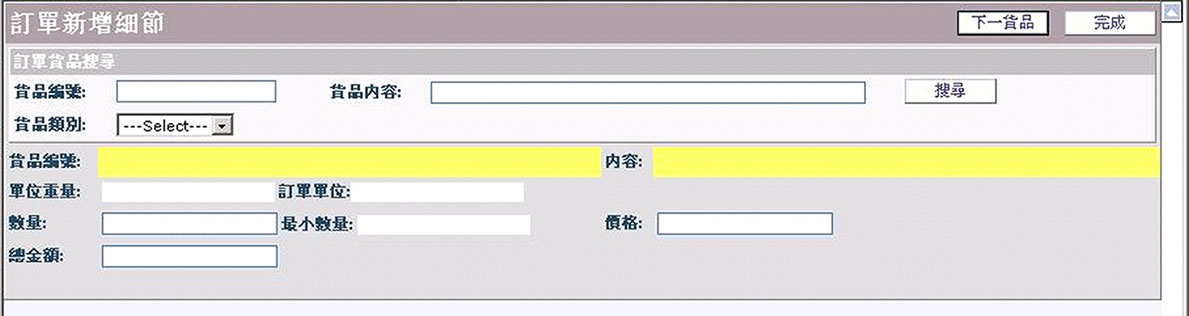
| Admin
can browse their user list |
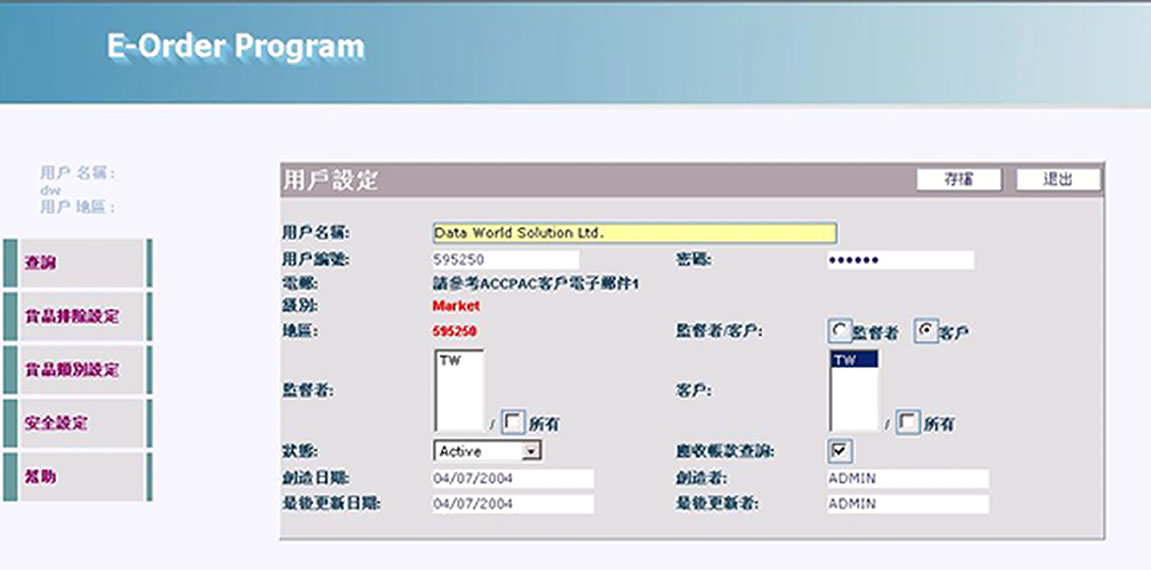
Admin
user can create new user |
 |
 |
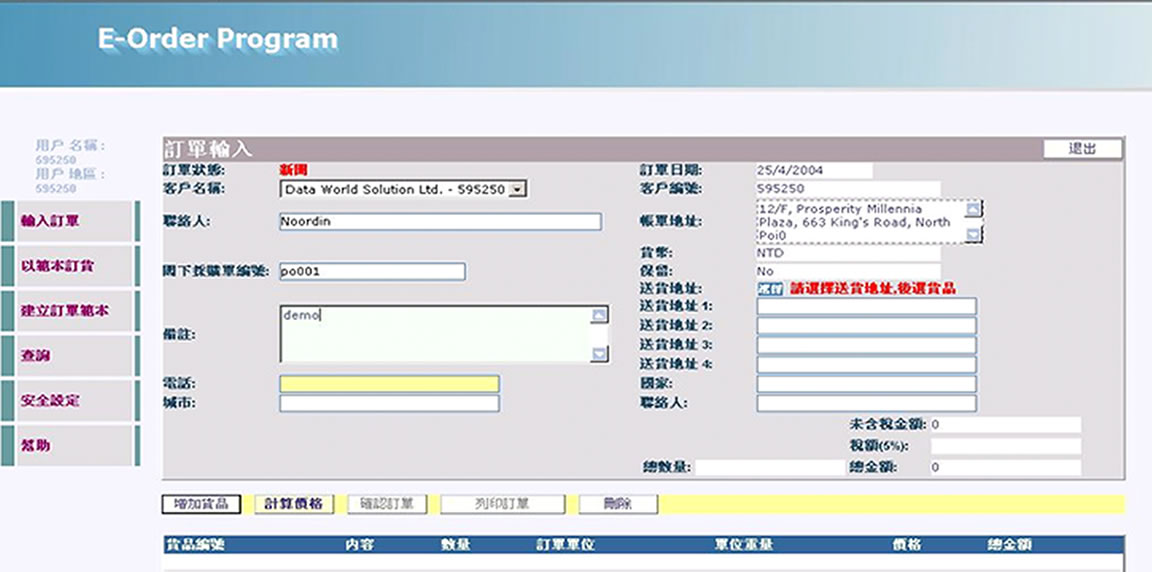
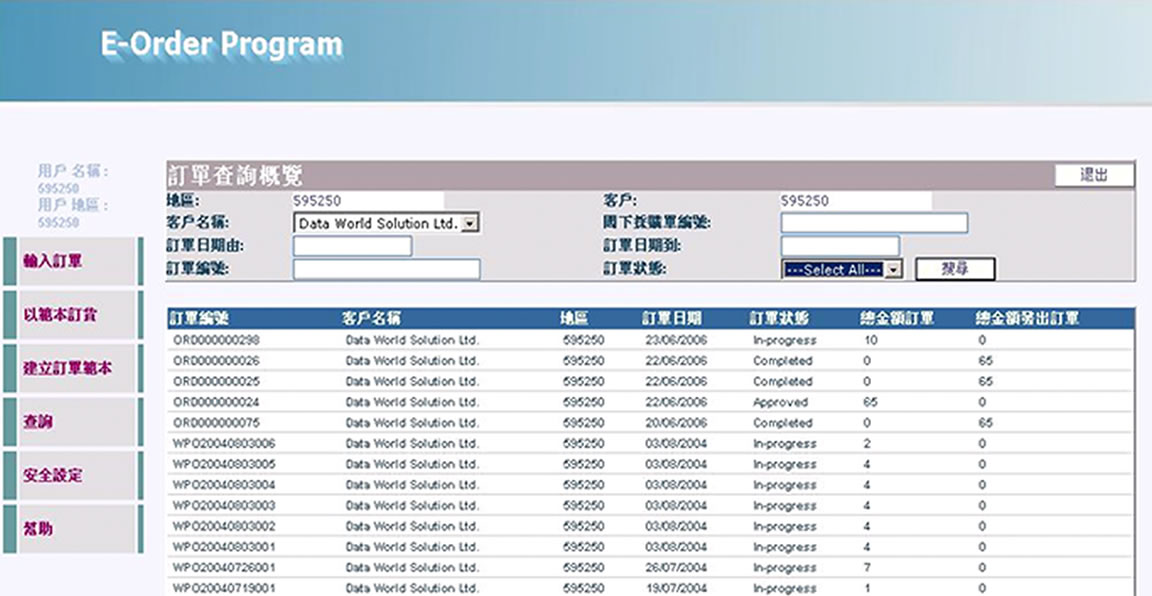
| Input
order |
Input
item |
 |
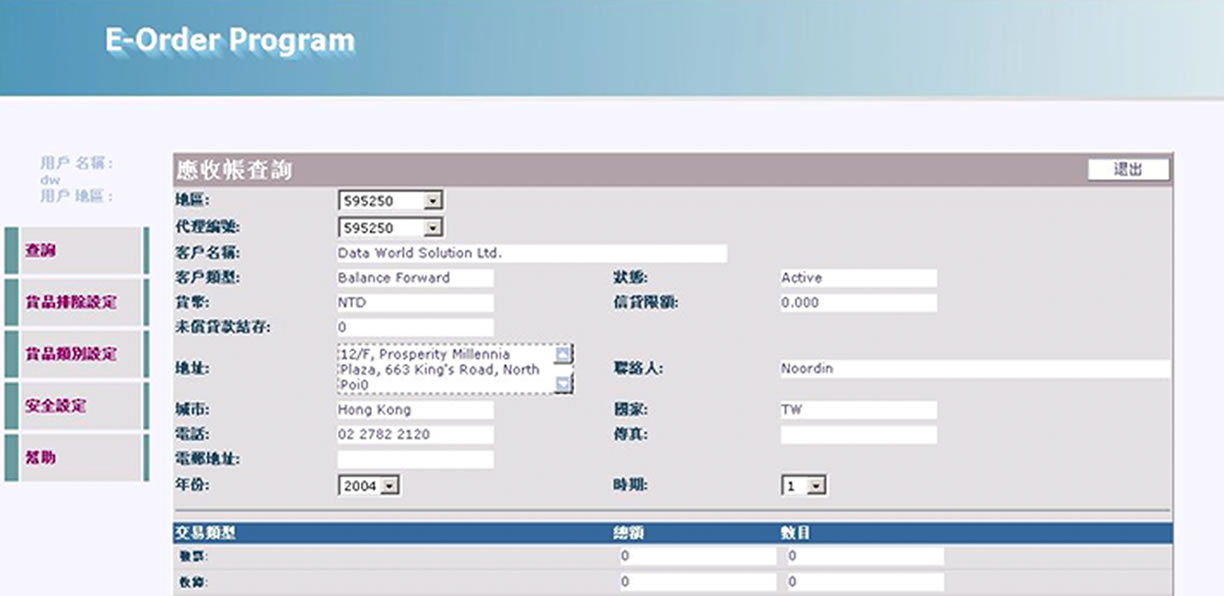 |
| Inquiry
order, invoice status |
Credit
limited inquiry |
|
| |
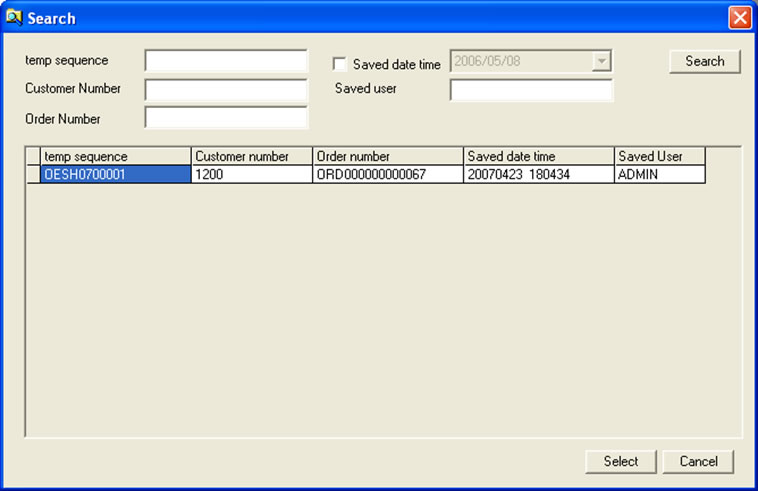
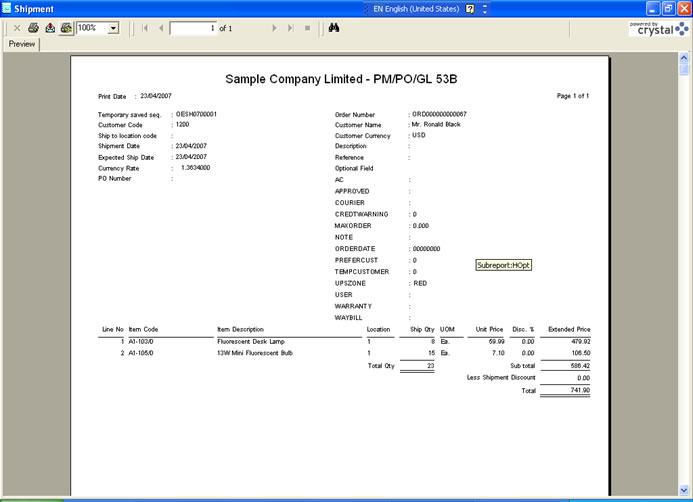
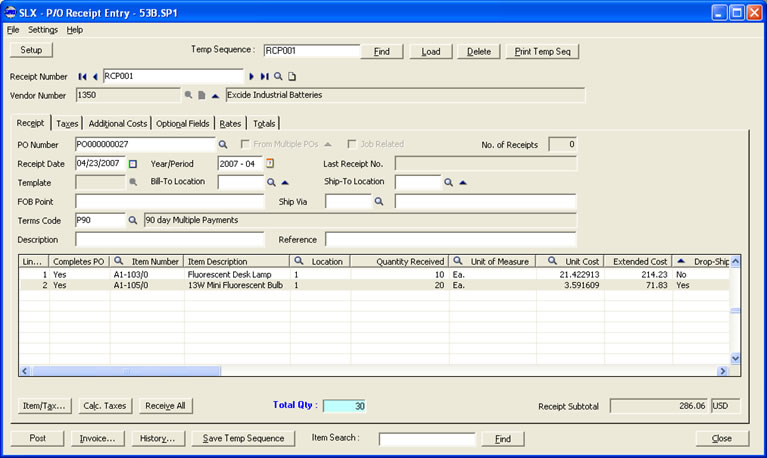
Temporary Save Function |
|
| - |
Temporary
Save for Accpac Entries |
| - |
Temporary
save for OE shipment, OE invoice and PO
receipt |
| - |
User can
assign the temporary save number for each
document |
| - |
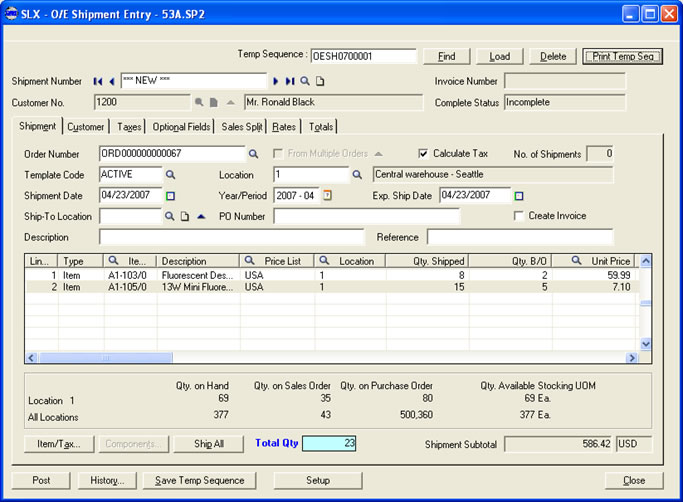
Total Qty
can be display in the entry screen |
| - |
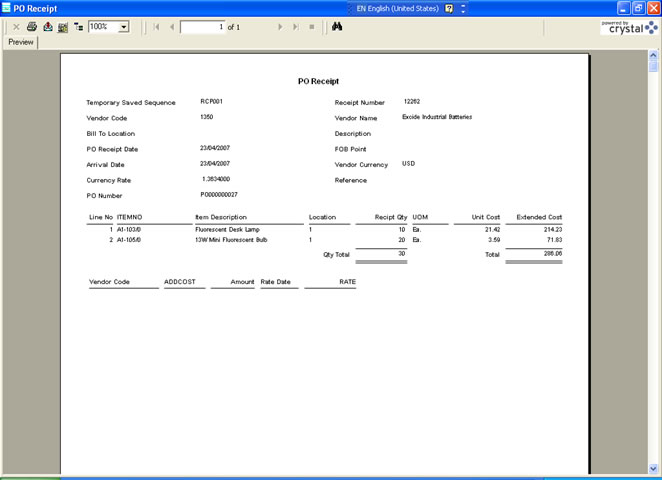
Report
Printing prior to posting |
| - |
Status
change report and error message alerts will
be provide |
| - |
Auto clear
the temporary save record after corresponding
entry posted |
| Integrate
with Accpac 5.2 / 5.3 / 5.4 edition 100,200,500 |
|
Require Accpac System Manager, Account Receivable,
Account Payable, Order Entry, Inventory
Control and Purchase Order modules |
 |
 |
| OE
Shipment Entry |
Retrieve
Saved Records |
 |
 |
| Report |
OE
Invoice |
 |
 |
| PO
Receipt Entry 5.4 |
Report
Layout |
Click
here to directly contact our consultants to get
more professional advices |
|
|
©
2008 Data World Solutions Ltd. All rights reserved.
Should you wish to unsubscribe our eDM, please click HERE
to complete a simple unsubscription procedure. Individuals who do not complete
the unsubscription procedure are recognized as willing to receive future
eDMs from us.
|
 |
 |
 |
Data
World Solutions Ltd. A leading business solutions
provider specialized in end-to-end business
applications. Awarded as the No. 1 SAGE ACCPAC
Solutions Provider in Hong Kong. We serve over
3,000 business cutomers in Hong Kong, Shenzhen
and Shanghai. Please visit our Website at http://www.dataworld.com.hk/dws
for more information. |
|
|
|
|